


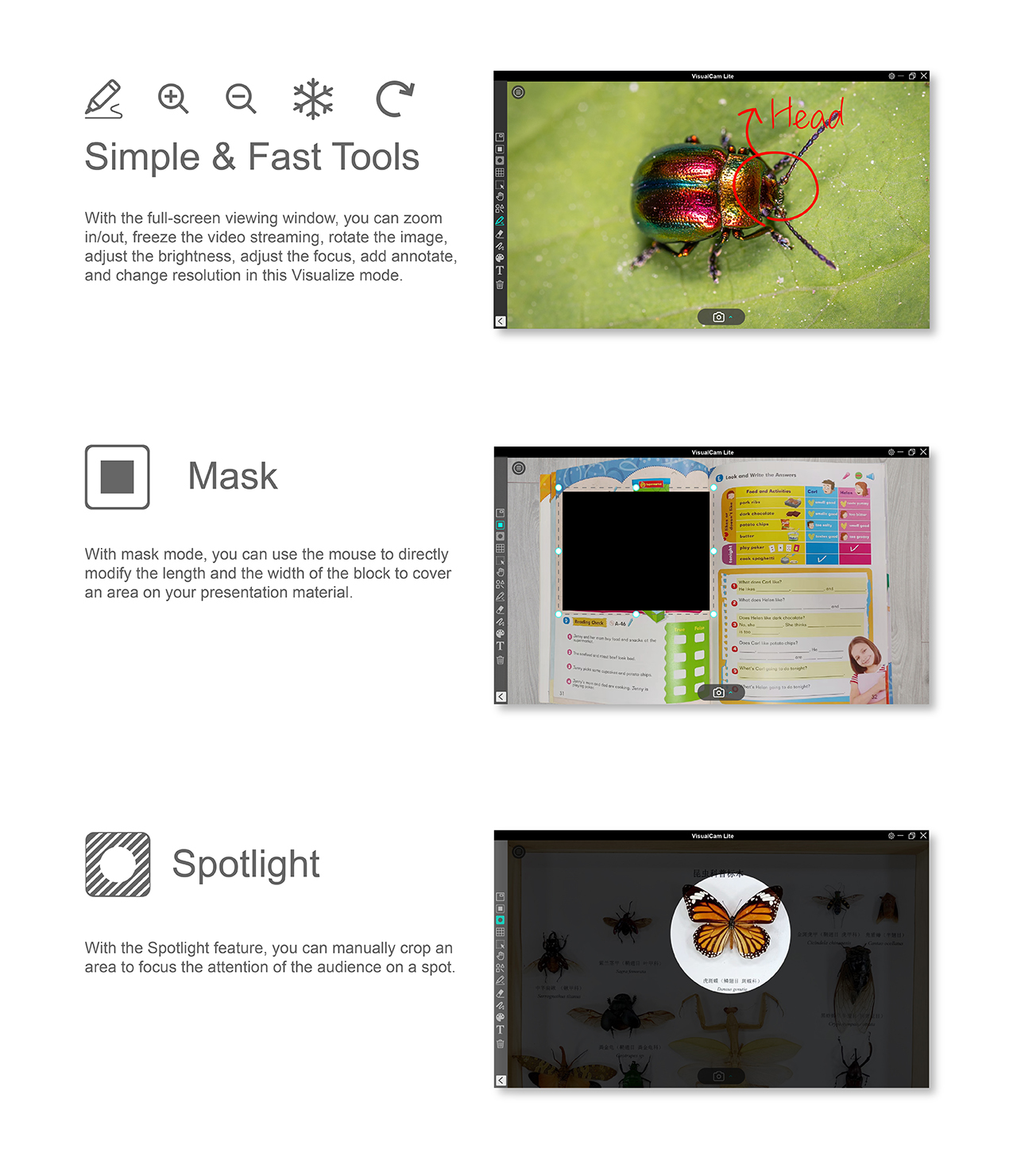
VIISAN VisualCam Lite is an easy-to-use visualizer specifically designed for VIISAN's document camera, accessible through various browsers such as Google Chrome, Safari, Microsoft Edge, etc. Without need for downloading, installing, and setting up, it provides a full-screen window and various annotation functions. These features enable you to add annotations directly to the live window using free-hand drawing tools, activate mask or spotlight modes, zoom and rotate the image, freeze the live video, change the resolution, and adjust brightness.With this powerful online visualizer software, you can effortlessly present or pre-record teaching materials in multiple ways, including taking snapshots, recording videos using picture-in-picture, scanning documents, and creating stop-motion videos—all through any web browser, anytime, anywhere.
Note: This web application is recommended for Chromebook.
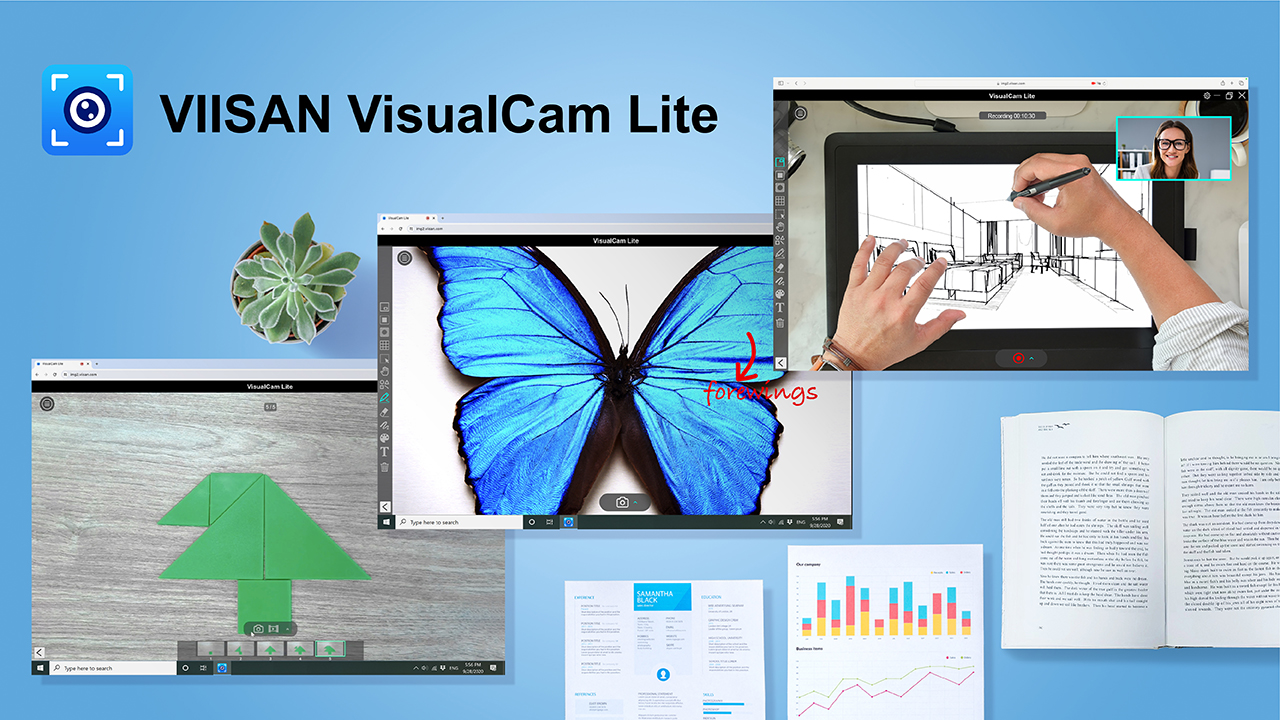
Say goodbye to installations. VisualCam Lite is a web-based application designed for document cameras, eliminating the need for downloads or installations. Simply open your browser, connect your document camera, and start presenting instantly by visiting visualcam.viisan.com.
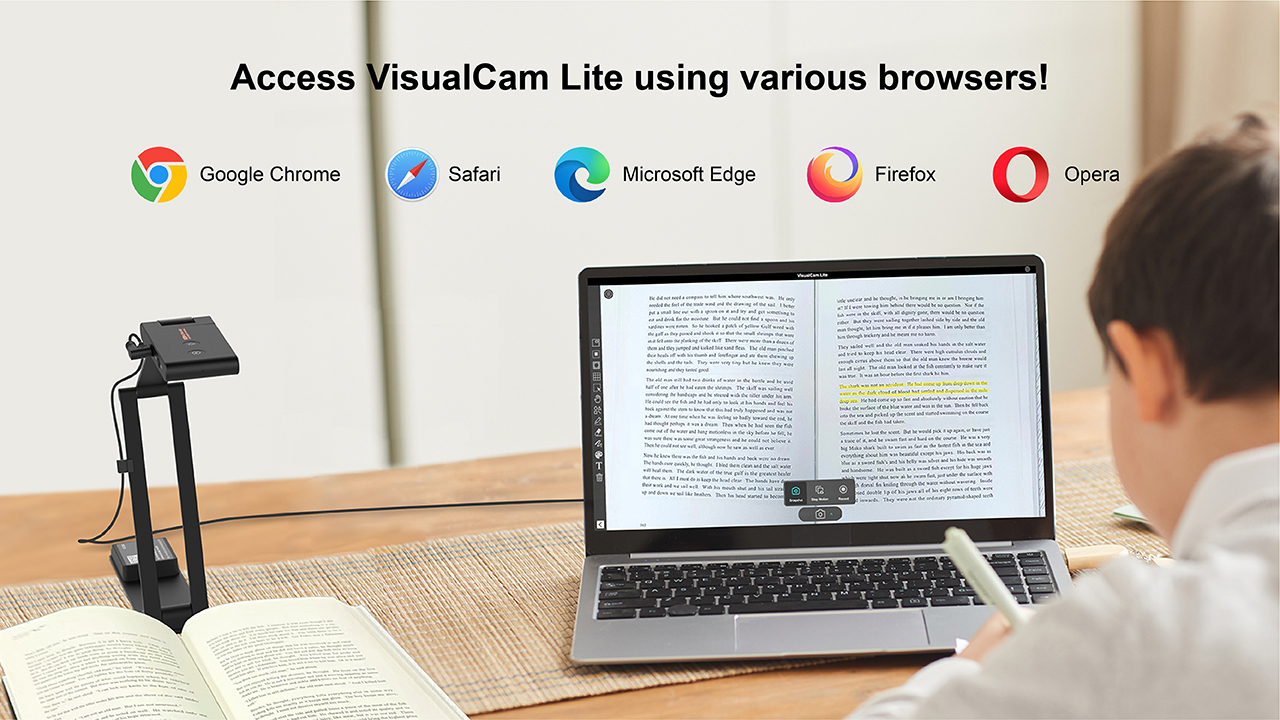
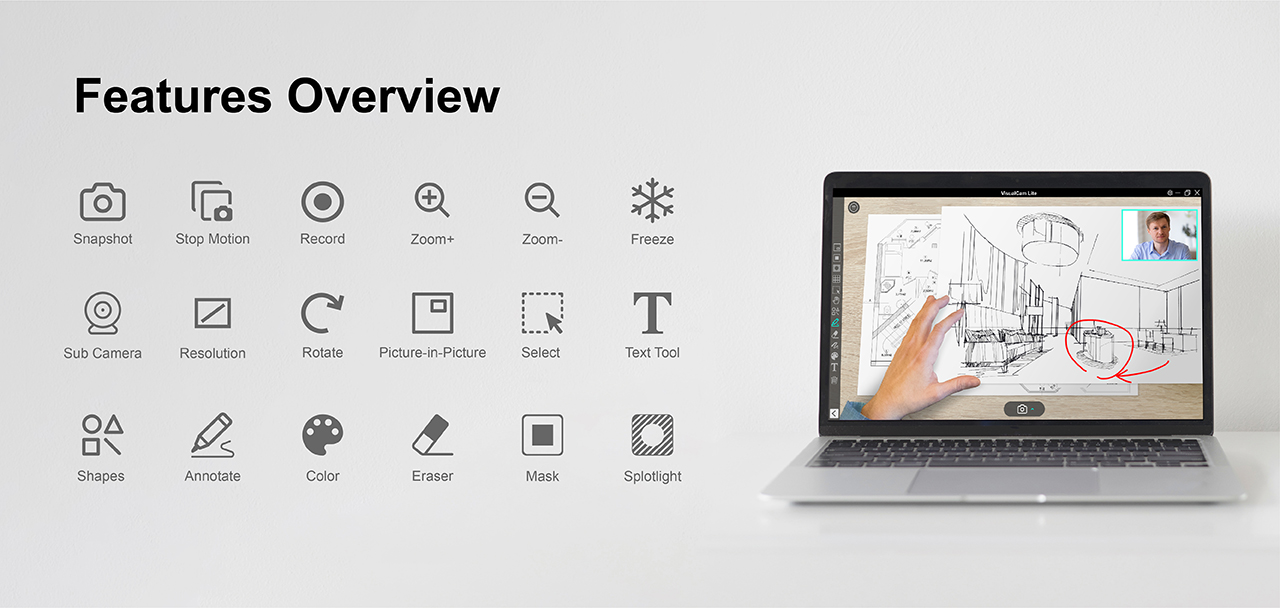
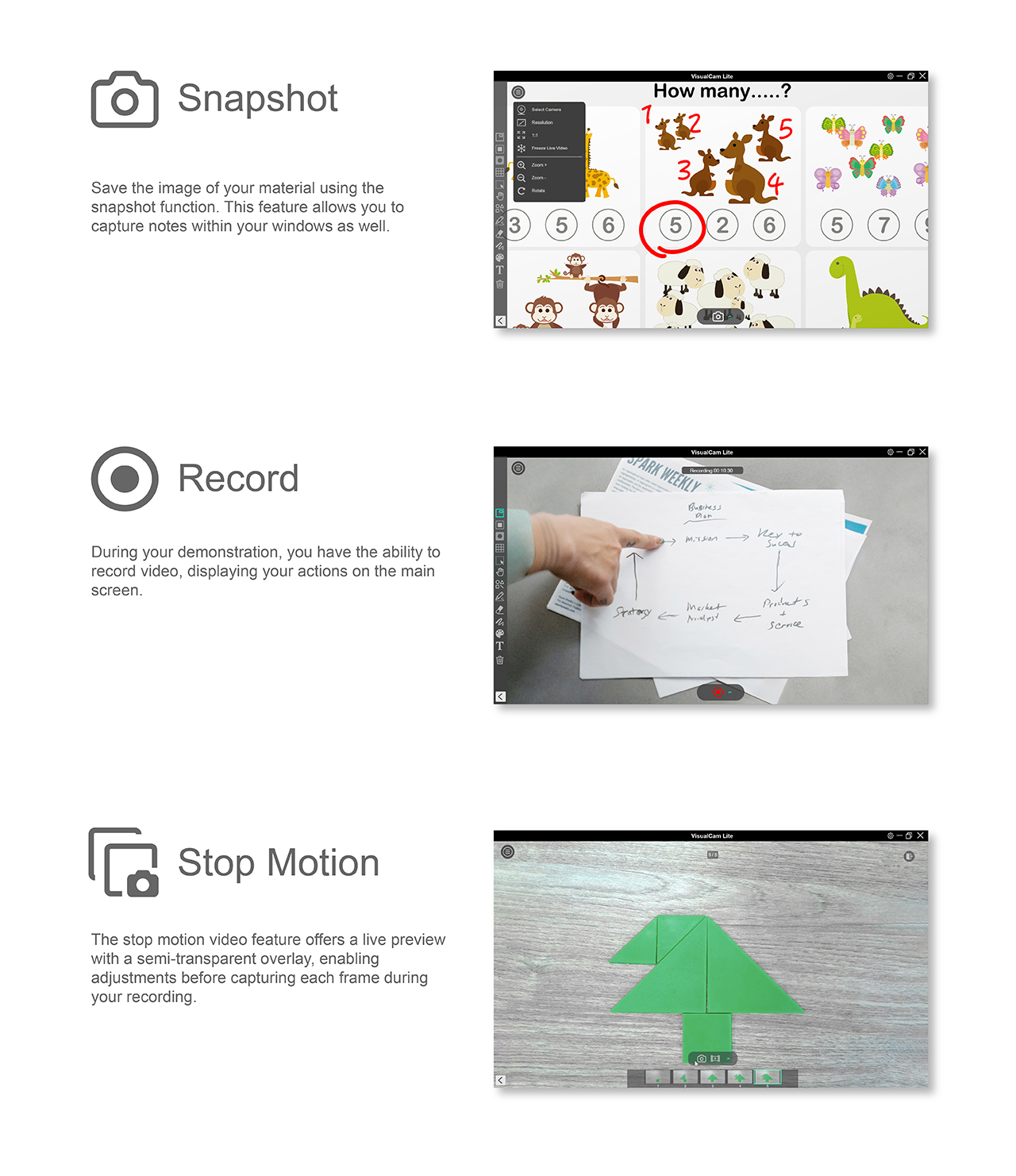
With VisualCam Lite, teachers and presenters can capture real-world materials through a document camera and use AI tools such as Google Gemini to explain content, summarize information, translate text, ask questions, or generate teaching ideas from visual materials.
VisualCam Lite is designed for classrooms, remote teaching, hybrid learning, training, and quick presentations. It helps users turn a document camera into a browser-based visualizer for live demonstrations, object display, teaching materials, and AI-assisted learning workflows.
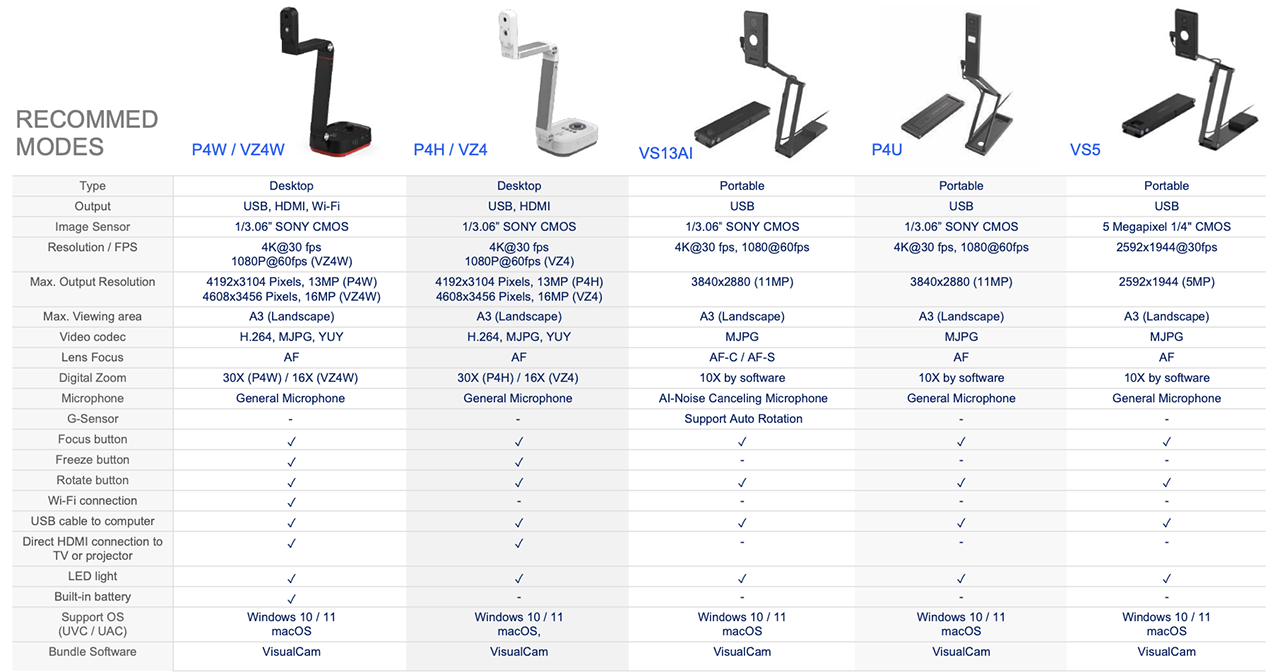
Pair VisualCam Lite with a VIISAN document camera to create a simple, flexible, and browser-based presentation setup for education, business, and remote communication.
Open visualcam.viisan.com, connect your document camera, and start presenting, teaching, or working with AI-assisted visual content directly from your browser.
Trademark Disclaimer
Google Gemini and other trademarks, service marks, and trade names mentioned on this website are the property of their respective owners. All images and text are copyrighted by VIISAN Technology Co., Ltd. Unauthorized use or reproduction is strictly prohibited.
 English
