 English


How VIISAN Document Cameras Improve Remote Working and Online Learning
Remote work and distance learning have become essential for many companies and schools. Video conferencing tools like Zoom, Microsoft Teams, Skype, and Google Meet make communication easier, but teachers and professionals still need a simple way to share books, worksheets, product samples, handwriting, and live demonstrations. A VIISAN document camera turns any desk into a real-time visual sharing station for meetings and classrooms.
Plug-and-Play UVC/UAC support for fast setup with major video platforms.
Visual Sharing Share books, worksheets, handwriting, and objects in real time.
Hybrid Teaching Support remote, in-person, and blended learning workflows.
Portable Setup Easy to move between classrooms, home offices, and meeting rooms.
Solution
Plug-and-Play Visual Sharing for Remote Classes and Meetings
VIISAN offers a wide range of high-quality document cameras for different classroom and workplace budgets, including USB document cameras and book scanning document cameras. All models support USB Video Class standards for plug-and-play setup, smooth high-frame-rate video streaming, and easy portability—ideal for sharing between classrooms, using in a home office, or switching between document camera and webcam use.
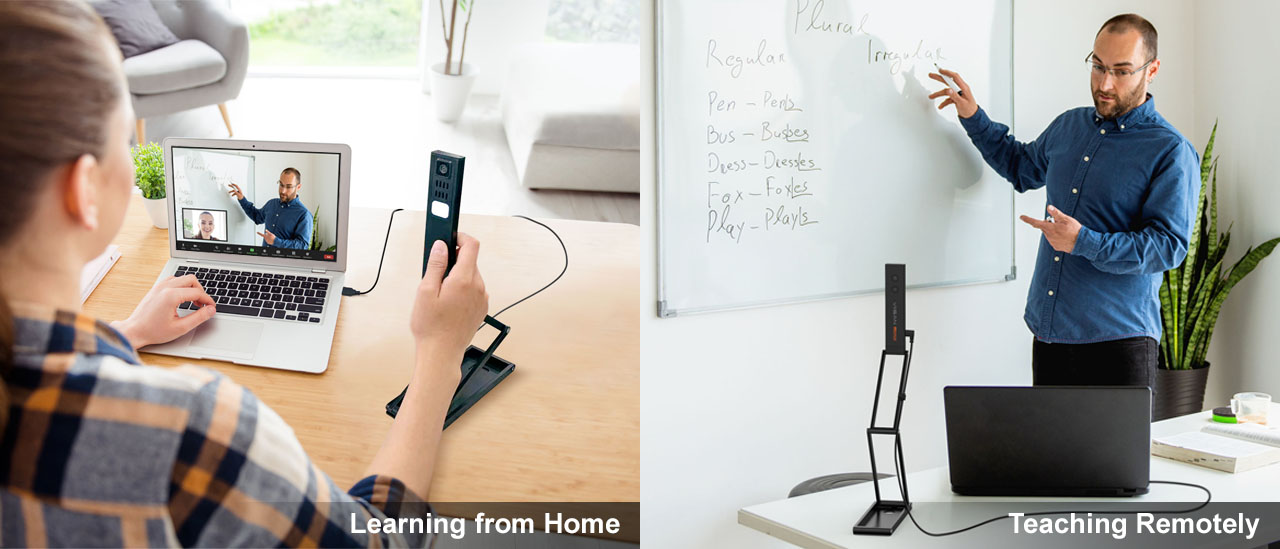
Remote Teaching
Share Learning Materials Clearly from Anywhere
Teachers can display textbooks, handwritten notes, worksheets, experiments, and 3D objects during live online lessons. This helps remote students follow the lesson more easily and keeps the learning experience visual and interactive.

Flexible Setup
Designed for Classrooms, Home Offices, and Meeting Rooms
Whether used by teachers, trainers, product teams, or remote professionals, VIISAN document cameras provide a clear overhead view for physical materials that standard webcams cannot capture effectively.

Distance Learning Ready
Ready for Online Teaching and Video Conferencing
UVC/UAC compliant, plug-and-play, and equipped with a built-in microphone, VIISAN document cameras work with popular video conferencing applications including Zoom, Microsoft Teams, Google Meet, Cisco Webex, and GoToMeeting—so you’re ready for remote teaching, hybrid learning, and professional online meetings.
Compatible Video Conferencing Software
VIISAN document cameras are designed to work smoothly with common video conferencing, teaching, and recording platforms.


Setup Videos
Video Setup Demonstrations
Follow these quick setup videos to use VIISAN document cameras with popular video conferencing platforms.
Setting Up with Microsoft Teams
Setting Up with Google Meet
Actual Video Streaming Test with Zoom
Turn Any Desk into a Real-Time Visual Sharing Station
VIISAN document cameras help teachers, trainers, and professionals share physical materials clearly during remote meetings, online classes, and hybrid collaboration.
FAQ
Frequently Asked Questions
Helpful answers for educators and professionals evaluating VIISAN document cameras for remote work and online learning.
Can VIISAN document cameras be used with Zoom and Microsoft Teams?
Yes. VIISAN document cameras support UVC/UAC standards and work with major video conferencing platforms such as Zoom, Microsoft Teams, Google Meet, Skype, Cisco Webex, and GoToMeeting.
Do VIISAN document cameras require a special driver?
Most VIISAN document cameras support plug-and-play USB connectivity through UVC standards, making setup simple for remote teaching, online meetings, and hybrid learning.
What can teachers share with a document camera during online learning?
Teachers can share books, worksheets, handwriting, science demonstrations, 3D objects, product samples, and live annotations in real time during online or hybrid lessons.


